Varlet
The Build lane
Every feature or fix goes through four steps. You make two decisions: approve the plan, and (optionally) watch. The team does the rest and tells you when it merged.
1. Ask
Say or type what you want, naming the repo: "Add dark mode to the Settings page in acme/todo." The manager checks the code and asks an agent to write a plan.
2. Review the plan
The plan arrives as a card. Open it to read the steps, the check that proves each one done, and what's out of scope.
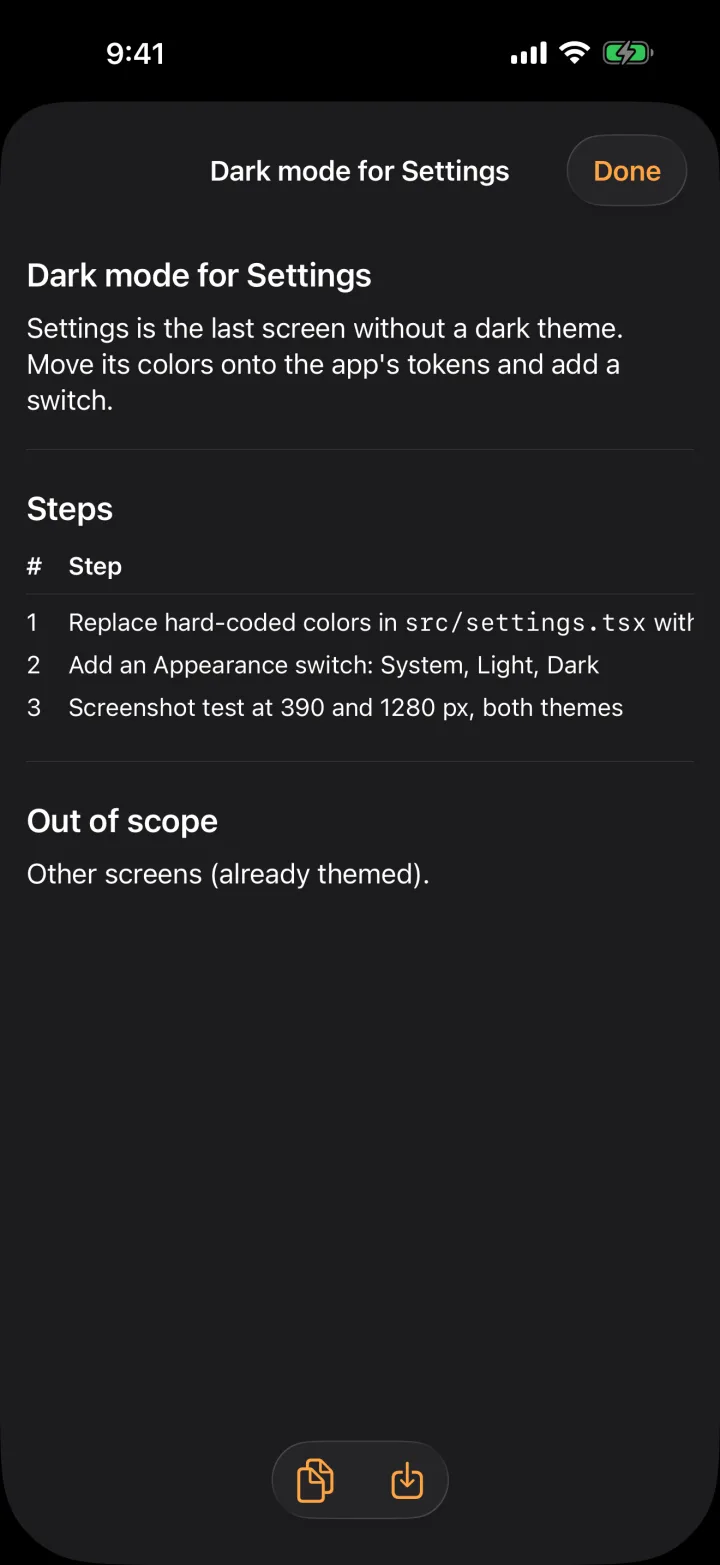
- Approve starts the build.
- Changes sends it back with your notes; a new version comes back for review.
- Decline closes it.
Turn on Build without asking in the ⋯ menu if you want plans to approve themselves. Sending, spending and trades still ask.
3. Watch it build
The agent works on its own cloud computer. Open Team → the agent, or the build from Tasks, to see its live terminal and, when it opens one, its browser. In the app you can take over the browser or interrupt the agent with a message.
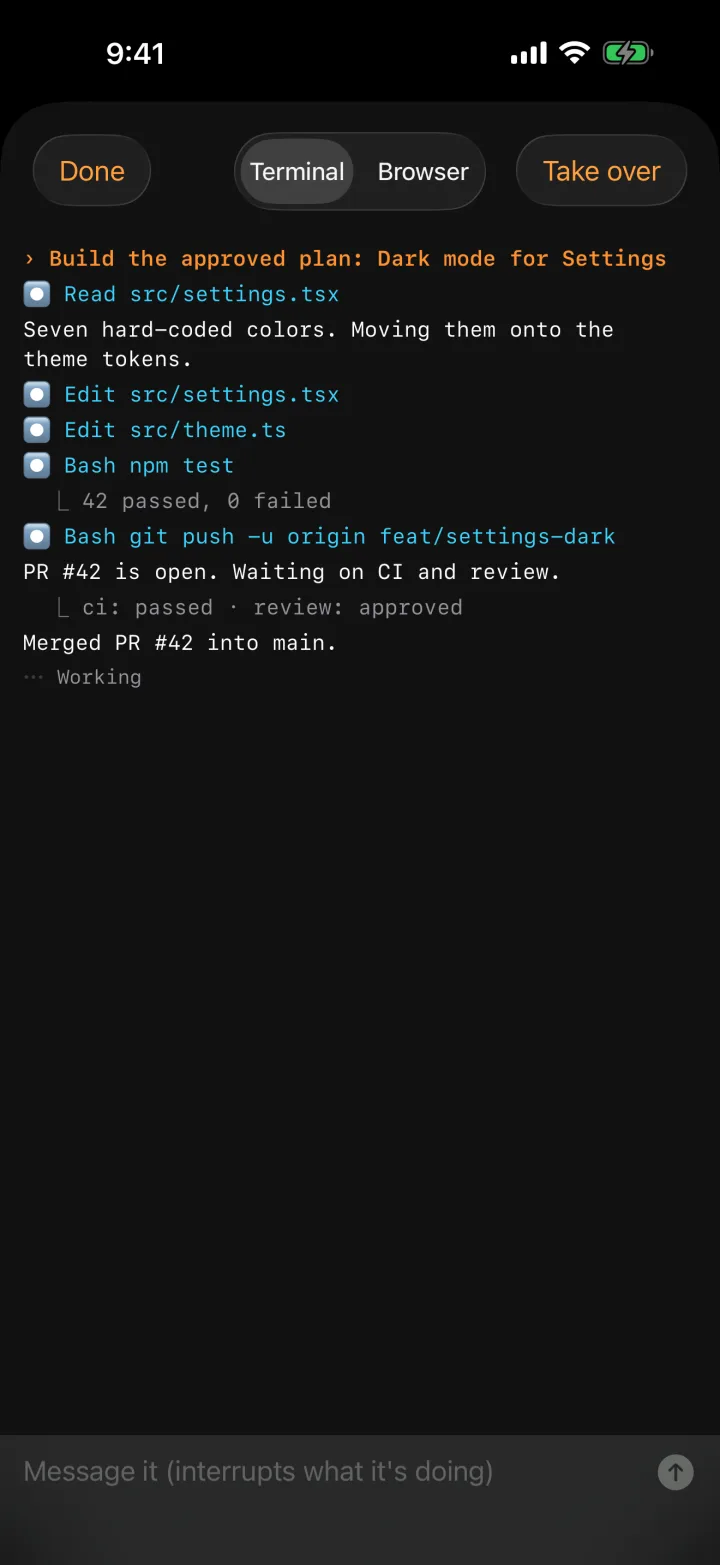
4. It merges
The agent opens the pull request, waits for CI and review, fixes what they flag, and merges when everything passes. You get one card with the result. The build's history stays in Tasks → Done and its plan in Library.